
Product tour / Policy & governance
Make the operating policy visible.
Define what warning and critical mean, document standards, constrain who can act, and keep notification and application-storage choices under administrator control.
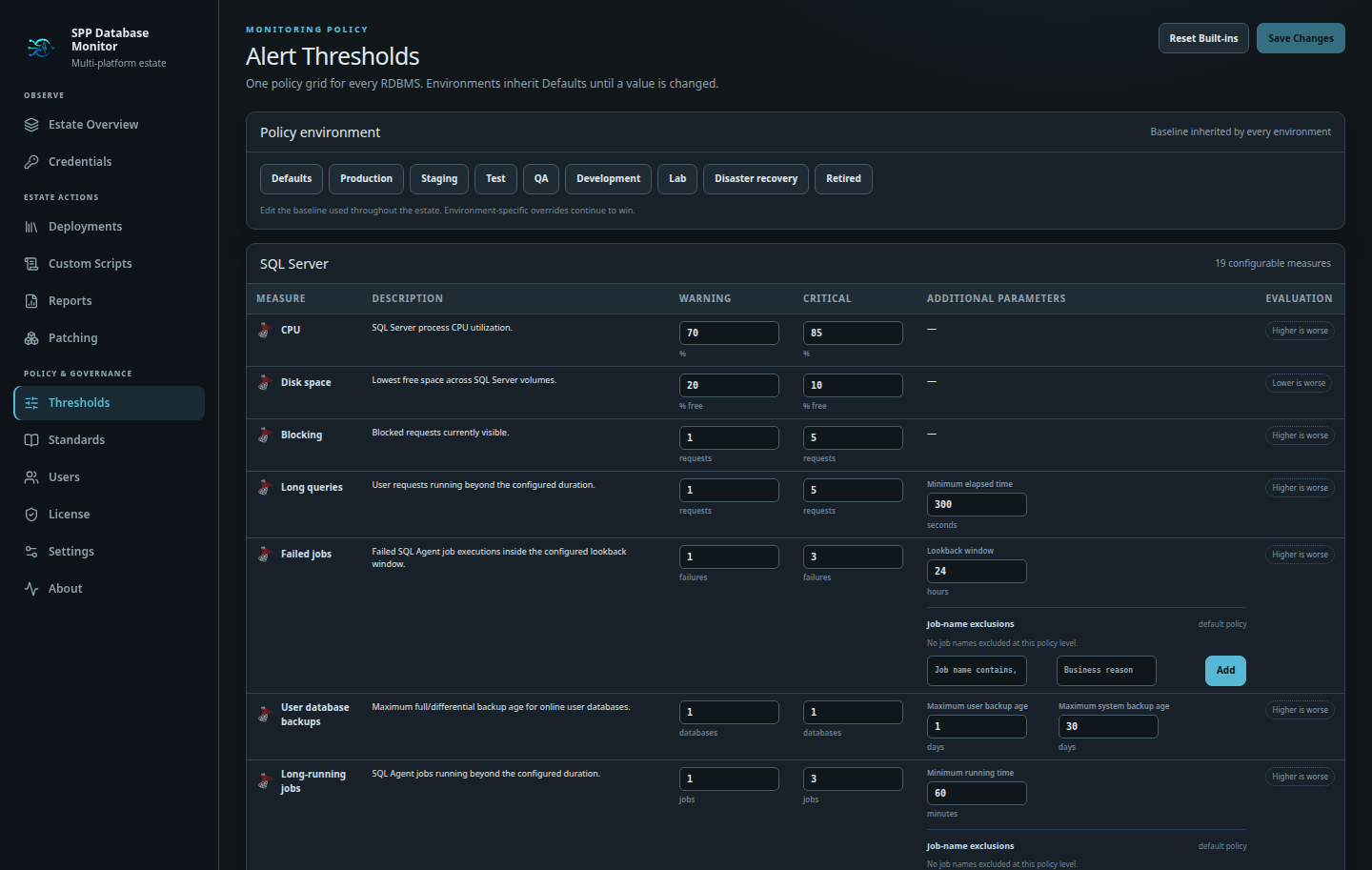
Policy by engine and environment.
Start with defaults, create environment-specific policies, then apply intentional per-server overrides and time-bound suppressions.
- Four-RDBMS policy grid
- Production, staging, test, QA, development, lab, DR, and retired
- Estate defaults with inheritance
- Auditable suppressions with automatic expiration
Put expectations beside the evidence.
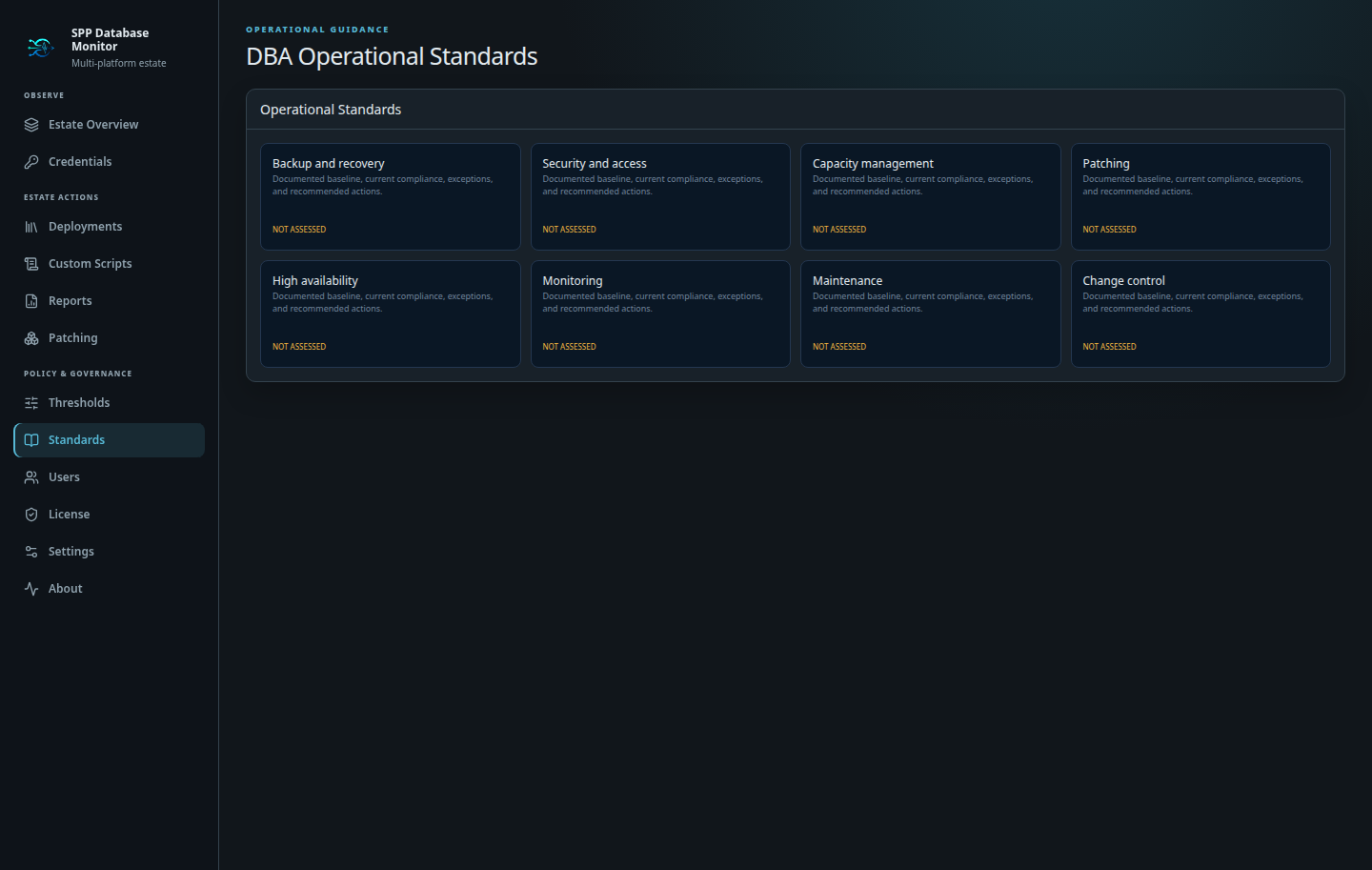
Capture the organization’s position on backup and recovery, security, capacity, patching, high availability, monitoring, maintenance, and change control.
- Central standards library
- Engine-aware operating guidance
- Visible governance status
- Shared reference for administrators and DBAs
Control the application itself.
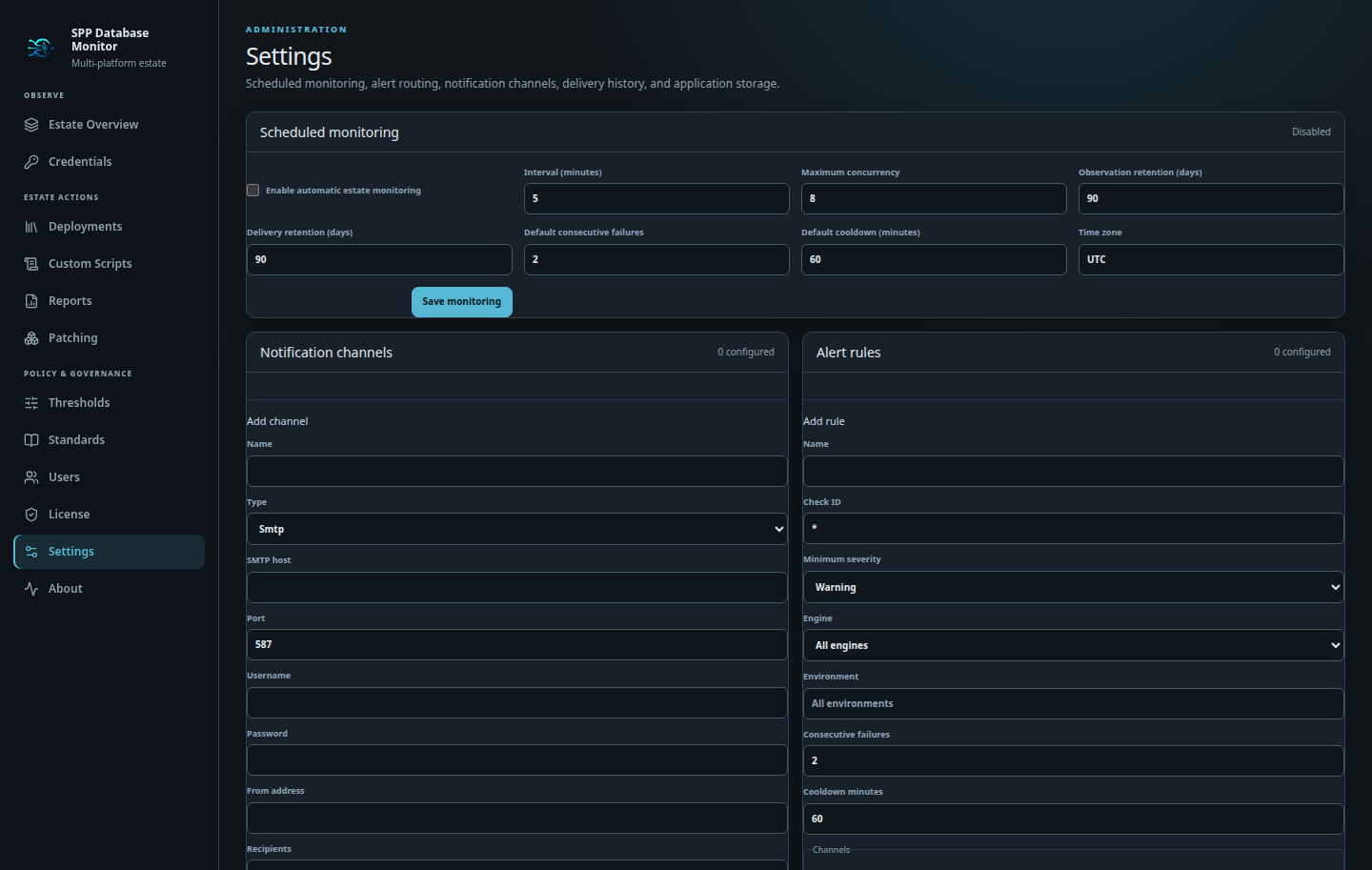
Free Edition supports manual monitoring for one administrator. Professional adds schedules, local users and roles, SMTP or Pushover channels, configurable alert rules, incident history, and enterprise application repository choices.
- Role-authorized Professional users
- Professional scheduled monitoring
- Professional alert notifications and encrypted credentials
- Professional SQL Server, PostgreSQL, MySQL, or Oracle storage migration
Keep control inside your network.
Review the deployment, data-handling, and licensing model.