Product tour / First 15 minutes

From installation to useful evidence.

Initialize the application, add a few servers or import an existing estate, verify connections, run the first refresh, filter the results, and bring the right people into the workspace.

01Initialize
02Add targets
03Refresh
04Operate
01 · INITIALIZE

Create the administrator and choose storage.

The first visit establishes the application administrator. SQLite provides the shortest path to a working installation; SQL Server, PostgreSQL, MySQL, and Oracle repository options let the application fit existing infrastructure and backup standards.

Application settings showing monitoring, alerting, notifications, and storage configuration
02 · ADD TARGETS

Start small or bring the estate with you.

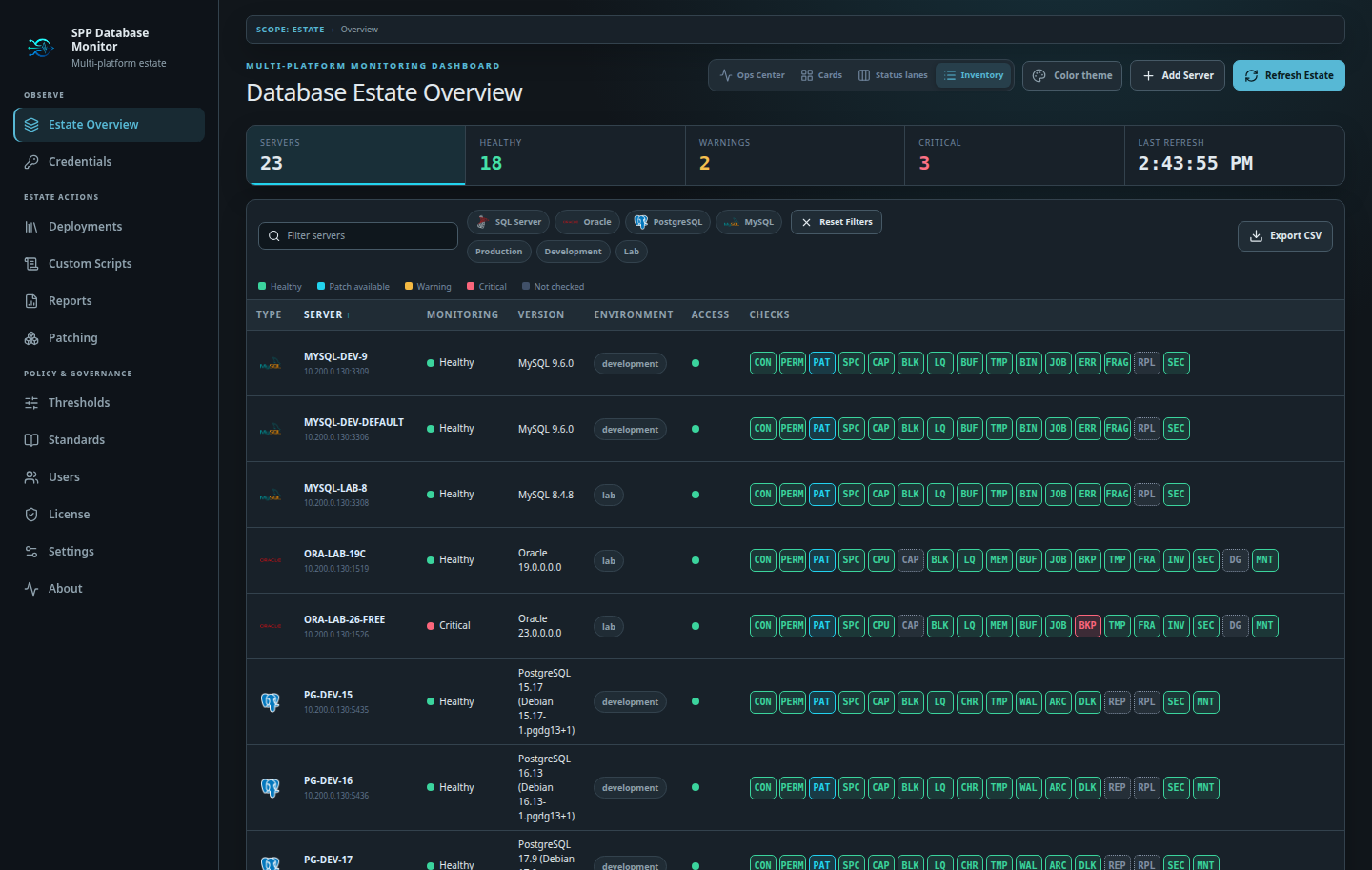
Add individual SQL Server, PostgreSQL, MySQL, or Oracle targets manually. For larger estates, import a SQL Server Central Management Server folder or complete the downloadable CSV template in Excel and import up to 5,000 endpoints.

Estate inventory showing imported mixed-engine database targets
03 · VERIFY ACCESS

See connection coverage before relying on it.

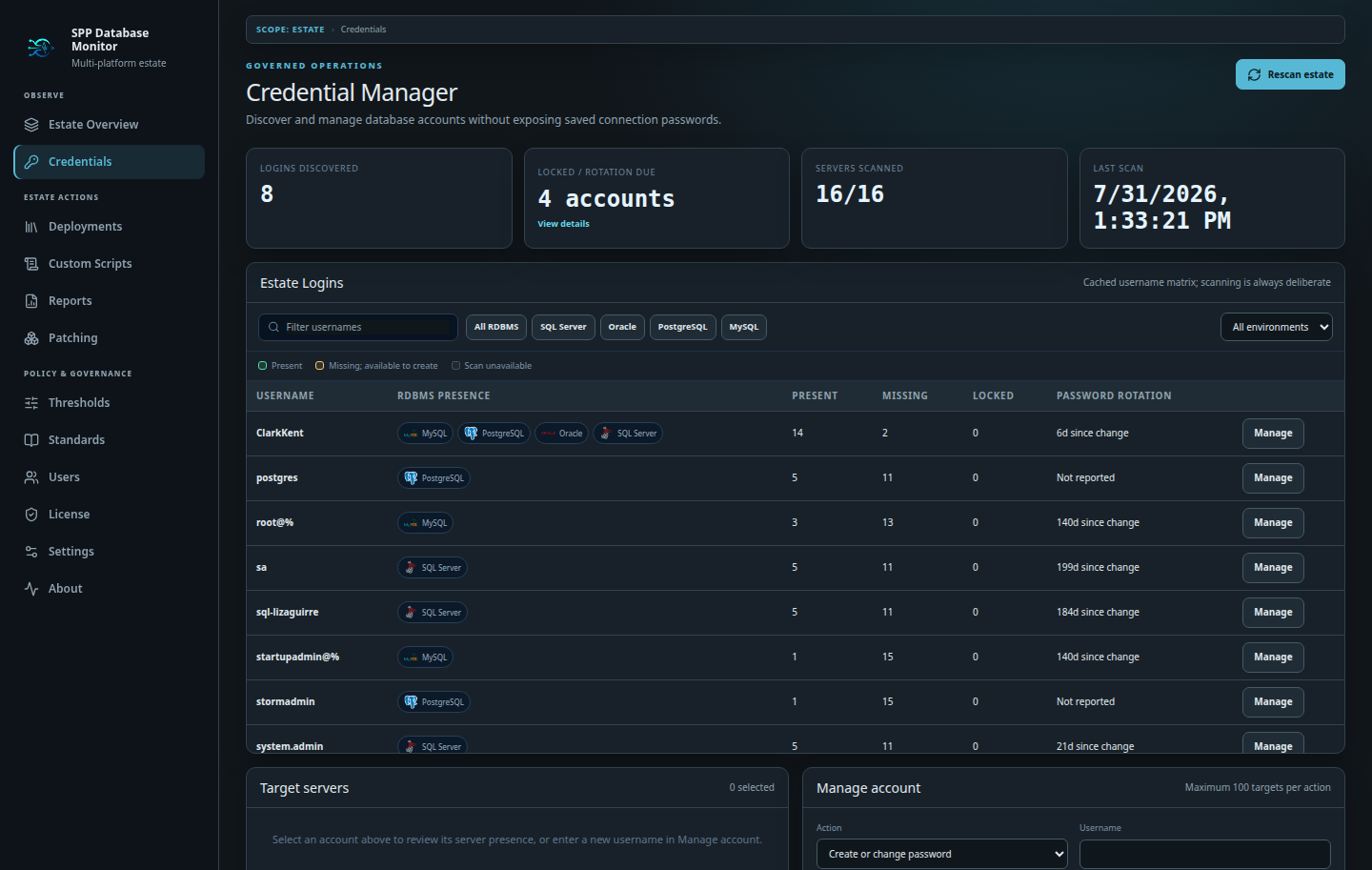
Test and store the credentials used by monitoring. Professional’s Credential Manager adds estate-wide account discovery, presence and rotation review, and controlled changes across selected targets.

Credential Manager showing account and database server coverage
04 · REFRESH

Turn inventory into operational status.

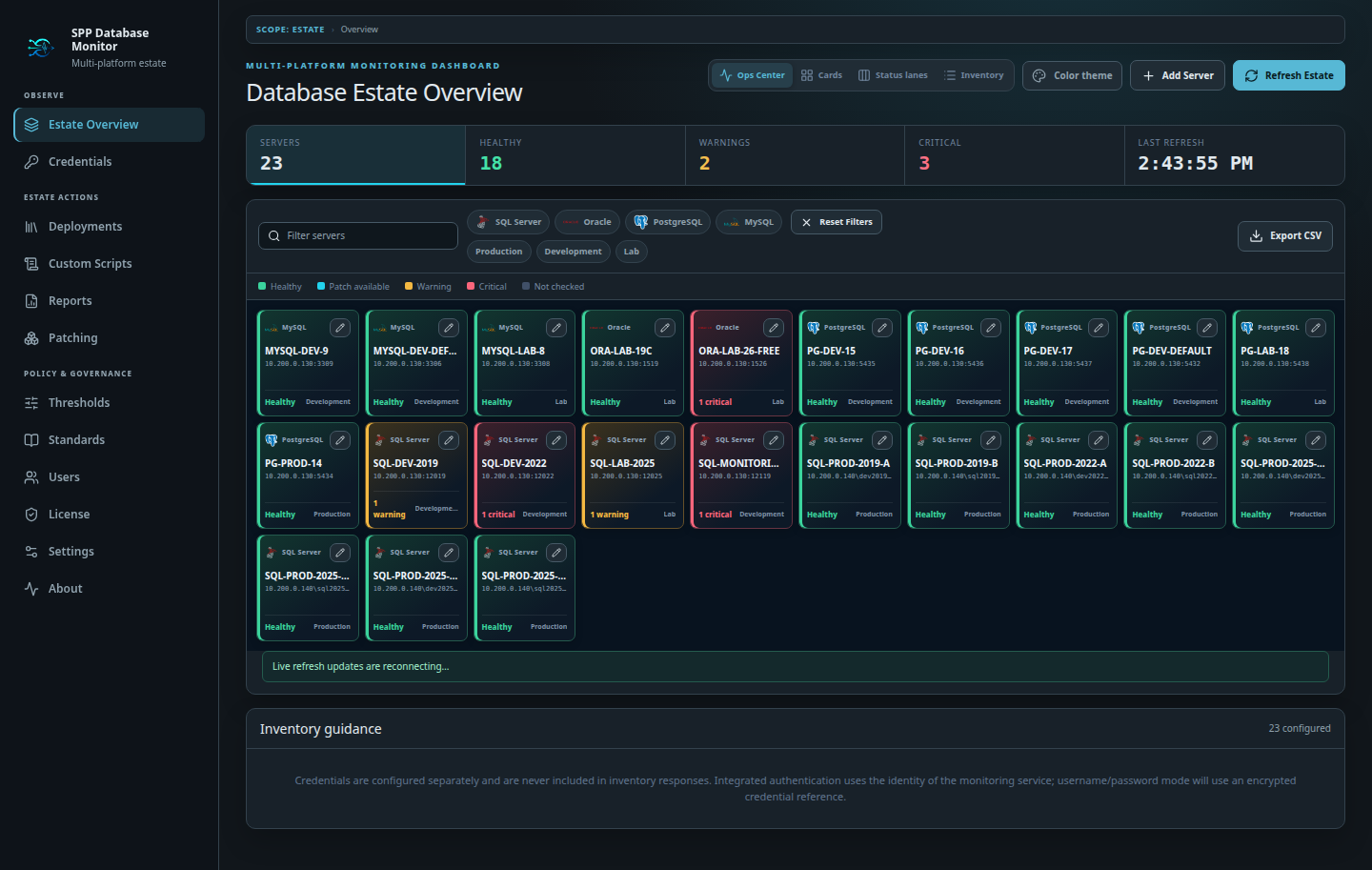
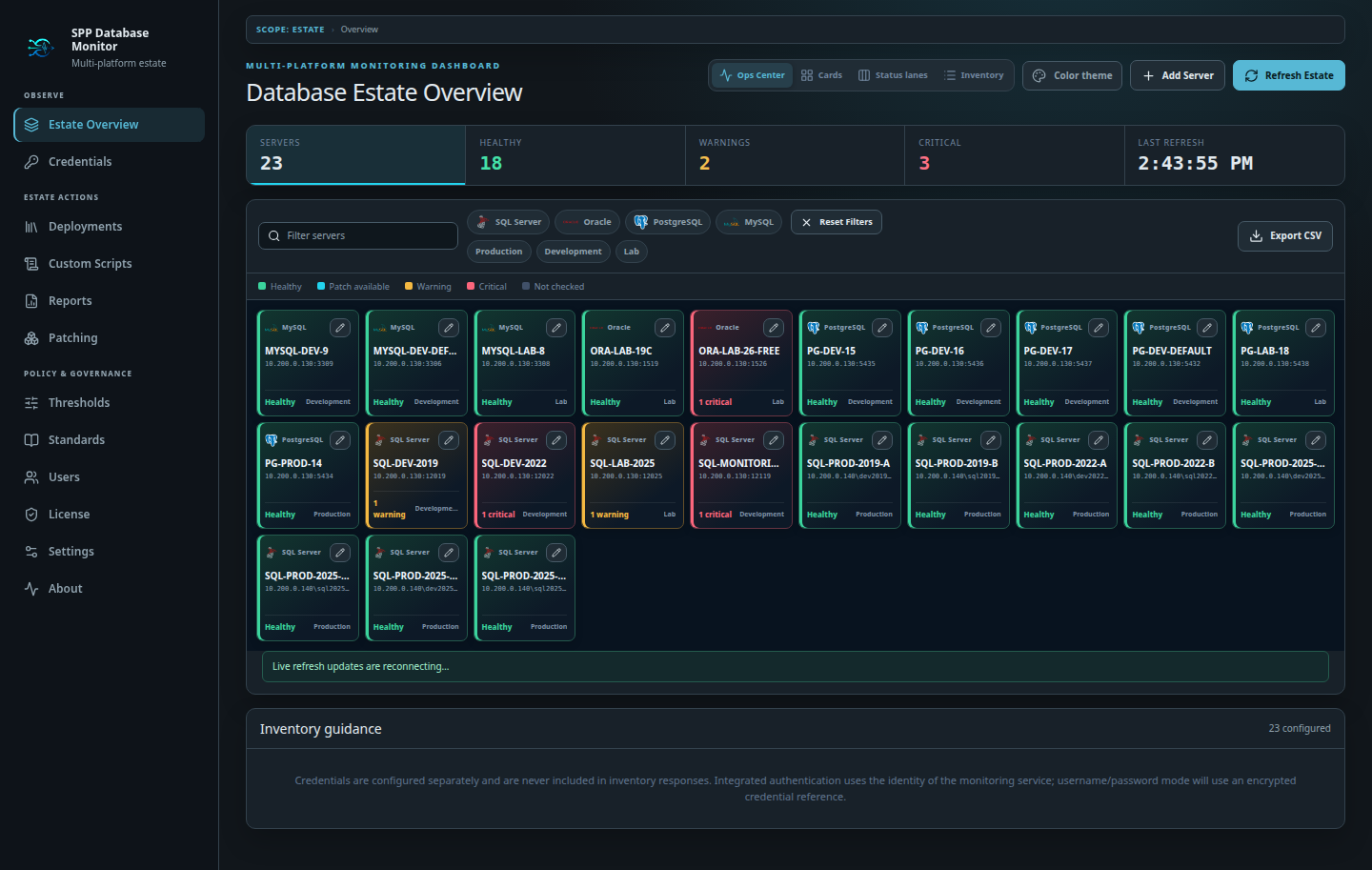
Run an estate refresh and watch each engine’s native checks populate. Ops Center compresses the result into an immediate attention view while preserving the check badges and evidence behind every warning and critical state.

Ops Center showing real health states across a mixed database estate
05 · FILTER

Reduce hundreds of servers to the working set.

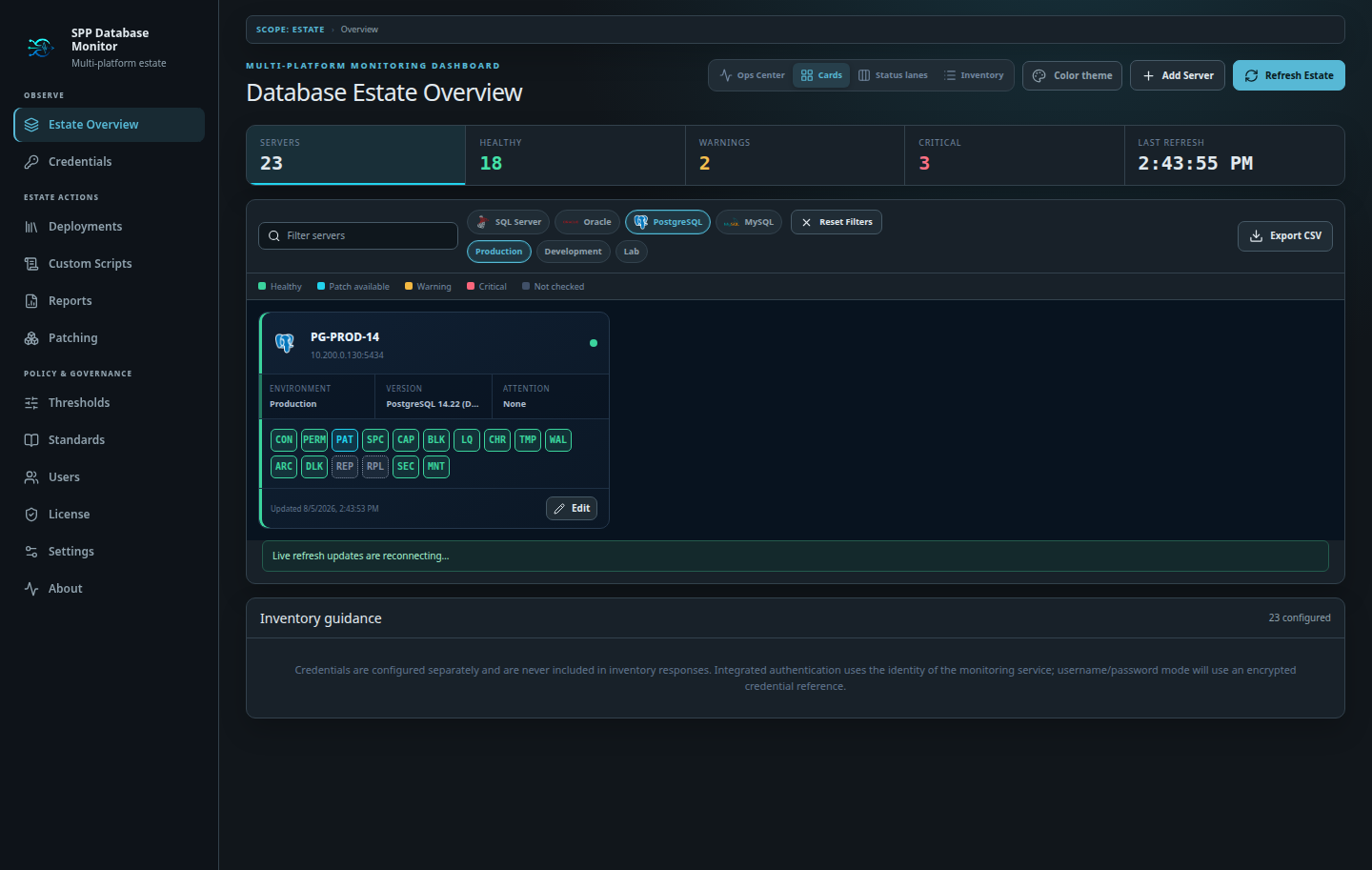
Combine engine and environment quick buttons with free-text search and clickable health totals. Open the affected server without losing the estate context, then reset the view with one action.

Estate filtered to PostgreSQL production servers using quick filters
06 · SHARE RESPONSIBLY

Give each person only the access they need.

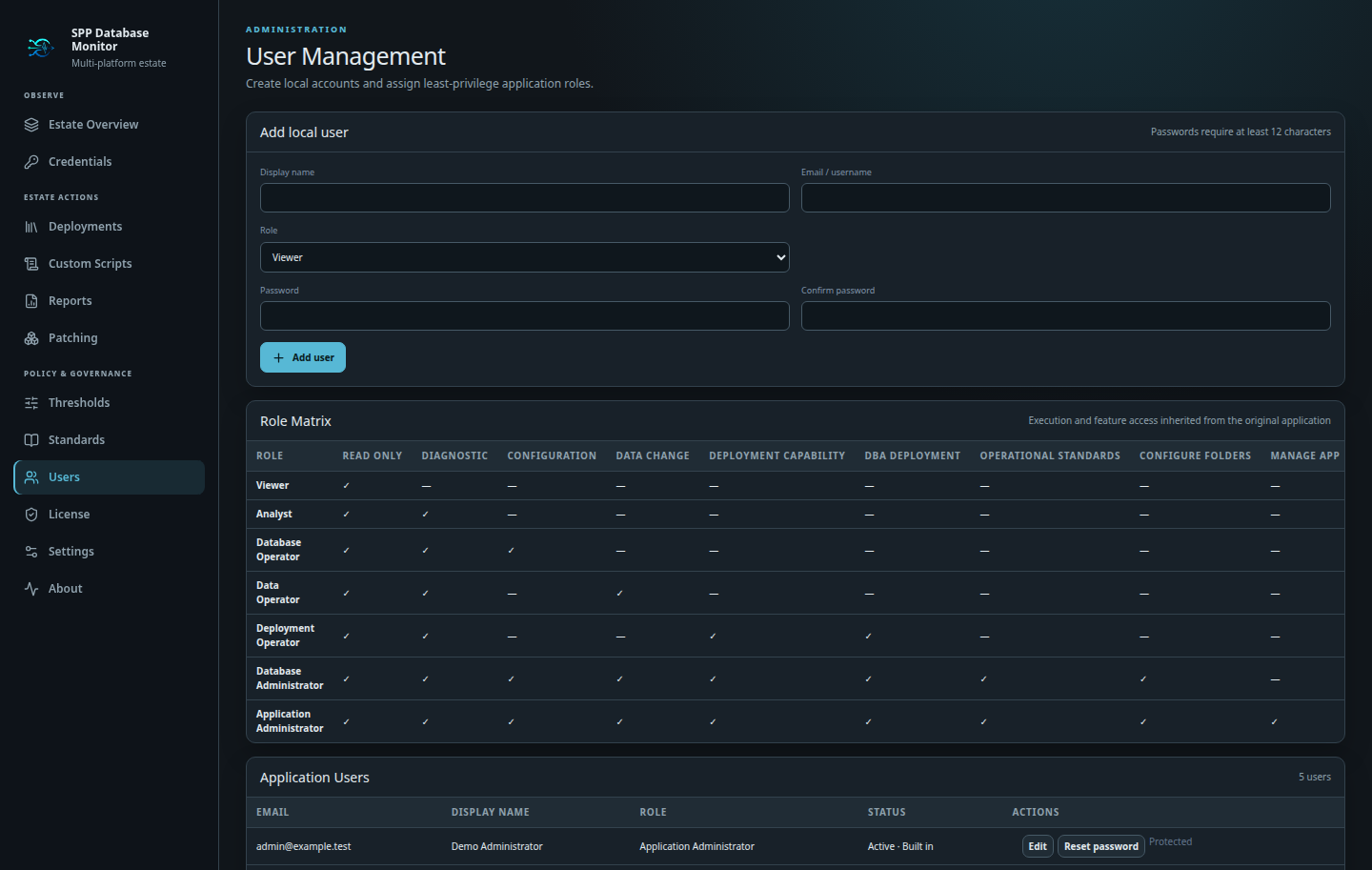
Professional lets you create local application users and assign explicit roles from Viewer through Application Administrator. Diagnostic, configuration, data-change, deployment, standards, and application-management rights remain visible in the role matrix.

User Management showing local users and the role capability matrix

Ready to run it yourself?

Choose Personal or evaluate every Professional capability for 30 days.

Download and install →